How to Choose the Right PLC Programming Software (Beginner to Pro Guide)
PLC programming is the backbone of modern industrial automation. From factory conveyor belts to water treatment plants,
Programmable Logic Controllers (PLCs)
quietly control machines that must run reliably 24/7.
But here’s the problem most people face:
“Which PLC programming software should I actually learn or use?”
This guide answers that question clearly. Whether you’re a student, a beginner engineer, or an automation professional, you’ll learn:
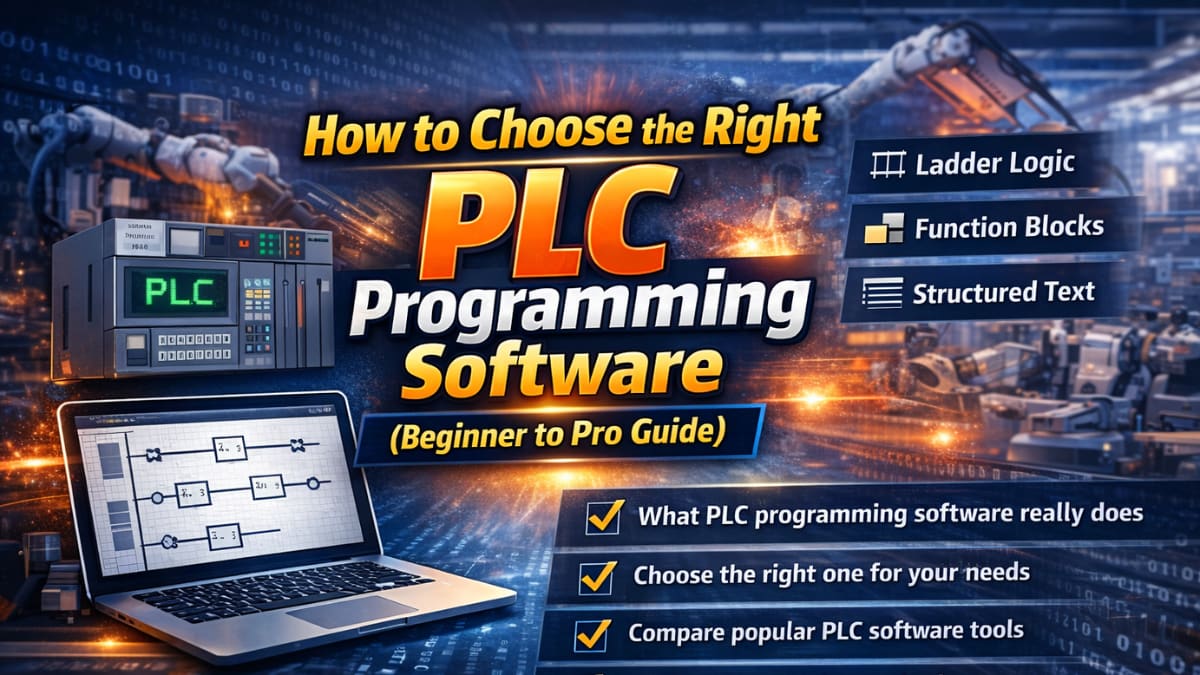
- What PLC programming software really does
- How to choose the right one for your needs
- A simple comparison of popular PLC software tools
- Common mistakes that waste time and money
No fluff. Just practical guidance.
What Is PLC Programming Software? (In Simple Words)
PLC programming software is the tool you use to write instructions that tell a PLC how to behave.
Think of it like this:
- Sensors = inputs (temperature, pressure,
- PLC = brain (logic and decision-making)
- Motors/valves = outputs (actions)
PLC programming software is where you define the logic:
“If this sensor turns ON, then start that motor.”
Most modern PLC software lets you:
- Write logic using visual diagrams or text
- Test programs using simulation
- Upload programs to real PLC hardware
- Monitor machines in real time
👉 Internal link suggestion:
Learn the basics first:what-is-plc-programming
PLC Programming Languages You’ll See Everywhere
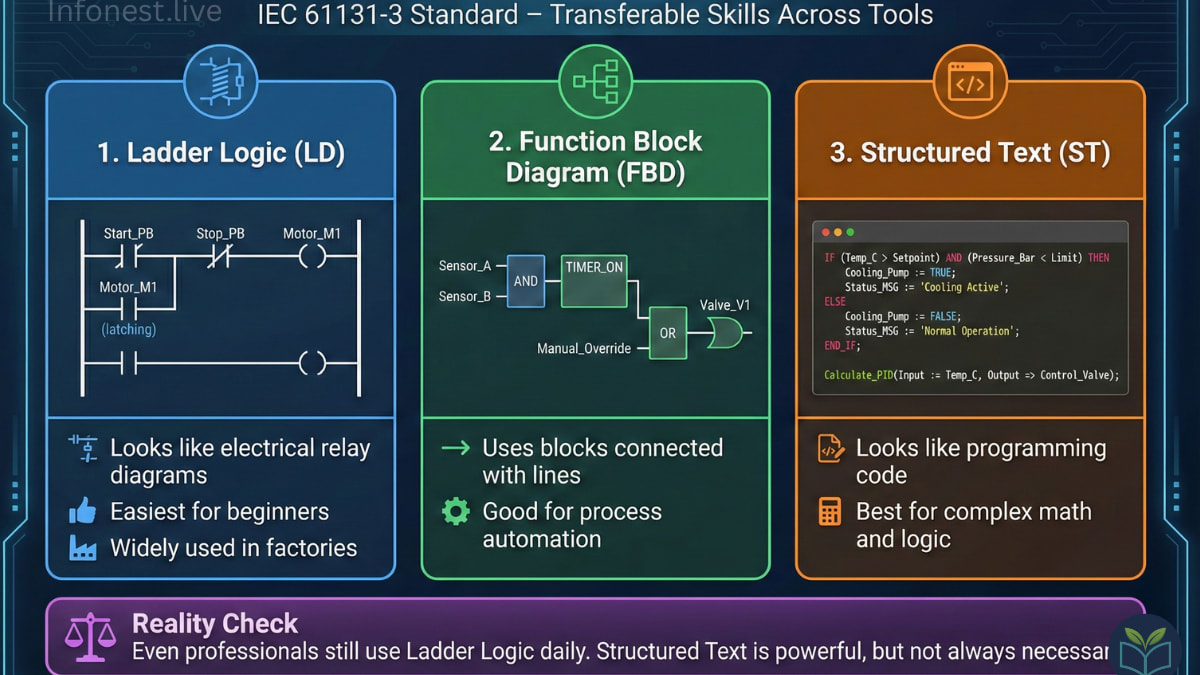
Almost all PLC programming software follows the
IEC 61131-3 standard
This matters because it keeps skills transferable across tools.
The most common languages are:
1. Ladder Logic (LD)
- Looks like electrical relay diagrams
- Easiest for beginners
- Widely used in factories
2. Function Block Diagram (FBD)
- Uses blocks connected with lines
- Good for process automation
3. Structured Text (ST)
- Looks like programming code
- Best for complex math and logic
Reality check:
Even professionals still use ladder logic daily. Structured text is powerful but not always necessary.
👉 External reference:
IEC standard overview – https://www.iec.ch
How to Choose PLC Programming Software (Step-by-Step)
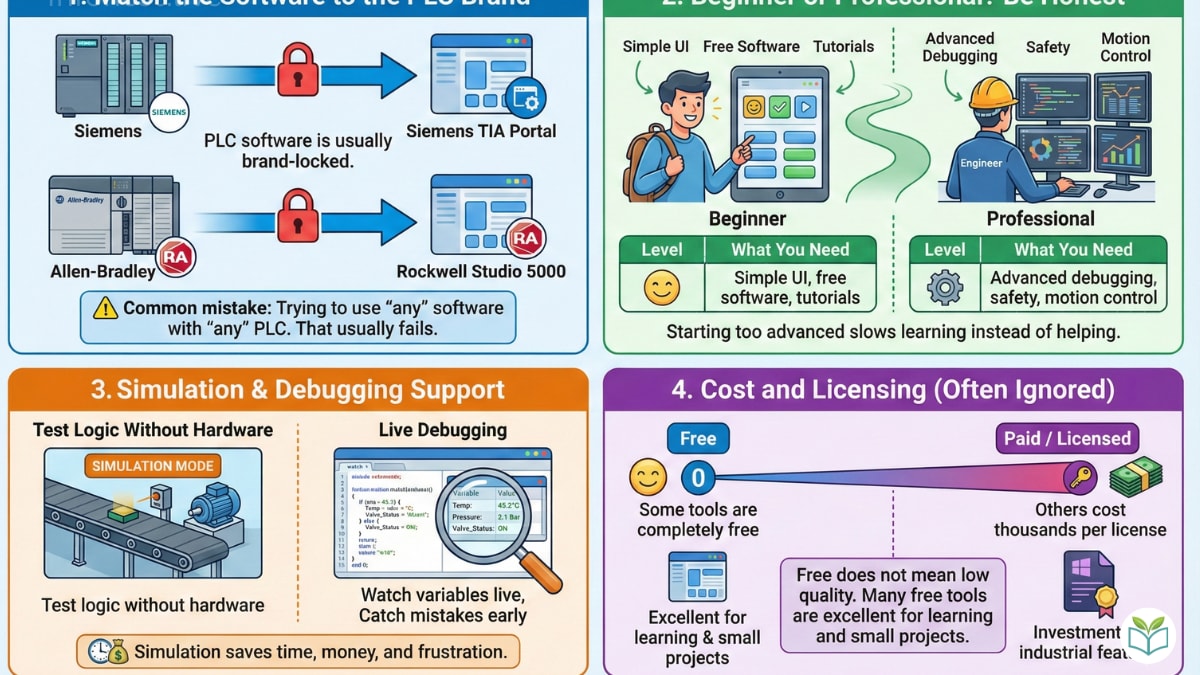
This is the most important section. Most bad choices happen here.
1. Match the Software to the PLC Brand
PLC software is usually brand-locked.
Examples:
- Siemens PLC → Siemens software
- Allen-Bradley PLC → Rockwell software
If you already know the PLC brand, your choice is mostly fixed.
⚠️ Common mistake:
Trying to use “any” software with “any” PLC. That usually fails.
2. Beginner or Professional? Be Honest
Ask yourself:
- Are you learning PLCs for the first time?
- Or building production-grade industrial systems?
Level: What You Need
Beginner
Simple UI, free software, tutorials
Professional
Advanced debugging, safety, motion control
Starting too advanced slows learning instead of helping.
3. Simulation & Debugging Support
Good PLC programming software should let you:
- Test logic without hardware
- Watch variables live
- Catch mistakes early
Simulation saves time, money, and frustration.
4. Cost and Licensing (Often Ignored)
PLC software pricing varies wildly:
- Some tools are completely free
- Others cost thousands per licence.
Free does not mean low quality. Many free tools are excellent for learning and small projects.
Comparison: Popular PLC Programming Software
Here’s a simplified, practical comparison.
Siemens TIA Portal
Best for: Large industrial projects
Pros:
- All-in-one platform (PLC, HMI, safety)
- Industry-standard in many countries
Cons:
- Expensive
- Steep learning curve
👉 External: https://www.siemens.com/tia-portal
Rockwell Studio 5000 (Allen-Bradley)
Best for: Manufacturing (especially North America)
Pros:
- Excellent performance
- Strong diagnostics
Cons:
- Very costly licenses
- Hardware-locked
👉 External: https://www.rockwellautomation.com
CODESYS
Best for: Learning + multi-brand flexibility
Pros:
- Free to use
- Works with many PLC brands
- Supports all IEC languages
Cons:
- Advanced features require experience
👉 External: https://www.codesys.com
AutomationDirect (CLICK / Do-more)
Best for: Beginners and small systems
Pros:
- Completely free
- Very beginner-friendly
Cons:
- Limited for complex automation
👉 External: https://www.automationdirect.com
Which PLC Software Should You Choose?
Here’s the honest answer:
- Students & beginners:
Start with CODESYS or AutomationDirect - Industrial job roles:
Learn Siemens TIA Portal or Rockwell Studio 5000 based on your region - Freelancers & system integrators:
CODESYS gives flexibility and lower cost
There is no single “best” PLC software. There is only the best fit.
Common Mistakes to Avoid
These mistakes cost months of learning time:
- Chasing “most advanced” tools too early
- Ignoring simulation and debugging features
- Learning PLC logic without understanding real-world processes
- Assuming PLC skills are brand-independent
PLC programming is not just coding. It’s industrial problem-solving.
Final Thoughts: Focus on Logic, Not Logos
PLC programming software is just a tool.
What really matters is:
- Understanding control logic
- Reading real-world signals
- Designing reliable systems
If you master those, switching software later becomes easy.
👉 Internal link suggestion:
Next step:plc-programming-examples-for-beginners
Limitations & Transparency
- Software features change over time (vendor updates may differ)
- Pricing varies by region and license type
- Some tools are better suited to specific industries (motion, process, safety)
Always verify with official vendor documentation before committing to a platform.